Back to selected work01 / 06
IoT Dashboard
GROUND DETECTOR MONITORING DASHBOARD
A web-based monitoring system designed to bring railway conditions, ground events, and technical data into one clearer experience.
KAI Ground Detector — IoT Monitoring DashboardRailway Technology
- Client
- PT Kereta Api Indonesia (KAI)
- Industry
- Railway / IoT Monitoring
- Timeline
- 2025–2026
- Role
- UI/UX Design
- Platform
- Web Application
- Tools
- Figma
01
About the project
KAI Ground Detector is a web-based monitoring system developed in collaboration with PT Kereta Api Indonesia (KAI), bringing railway conditions, ground events, and technical data into one interface. As the UI/UX Designer, I focused on structuring the information and designing an interface that makes complex monitoring data easier to scan, understand, and explore.
The problem
KAI Ground Detector brings together different types of technical and operational information, each with its own level of importance. The challenge was to organize this information without overwhelming users or making them dig through dense data to understand the current system condition.The interface needed to provide a clear overview first, while still giving users a way to explore ground events and supporting technical data when more detail was needed.
Project goals
- Prioritize critical system information for quick understanding.
- Simplify ground event monitoring and exploration.
- Provide access to detailed technical data when needed.
- Reduce information overload through a clear visual hierarchy.
02
User flow
03
The solution
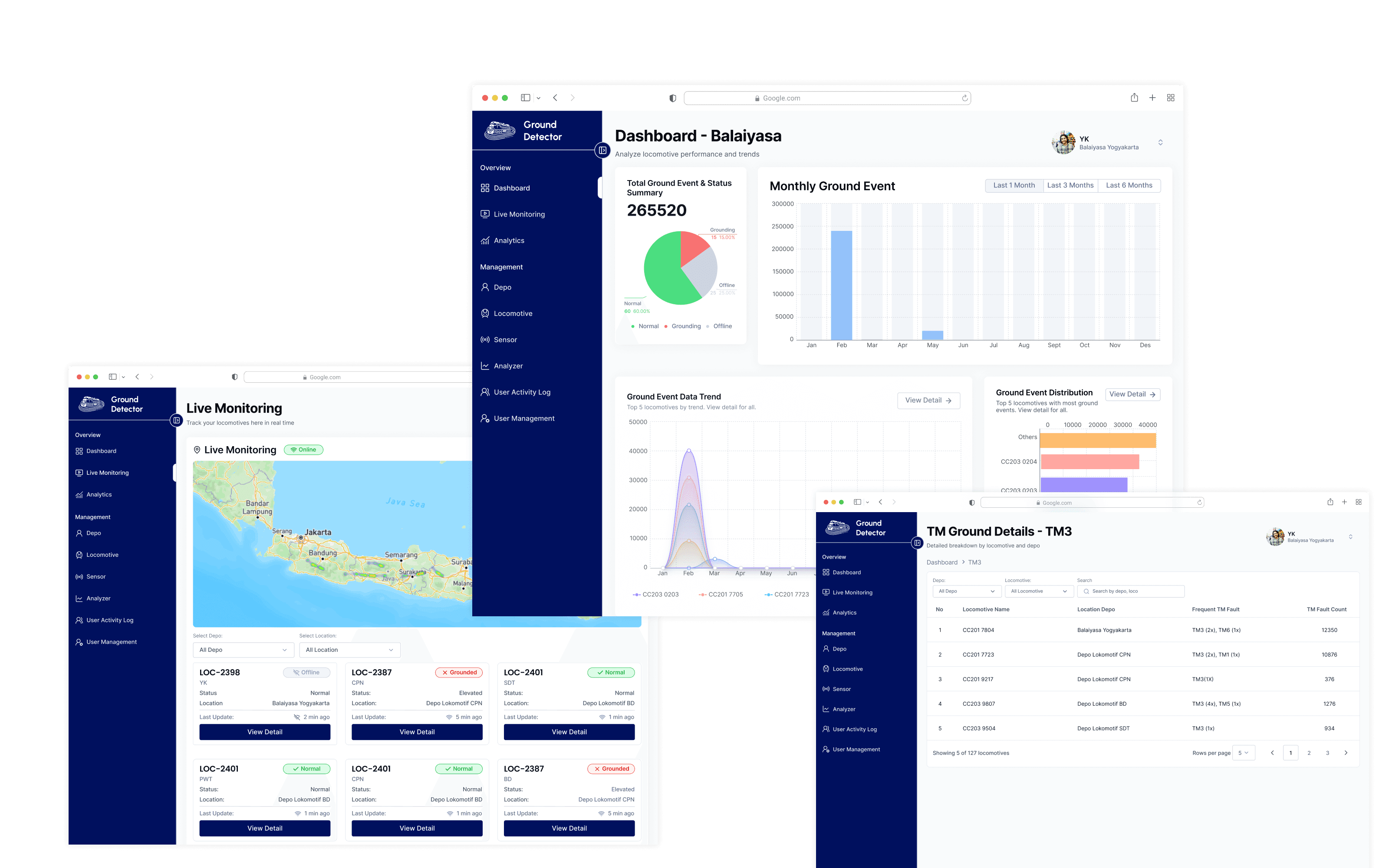
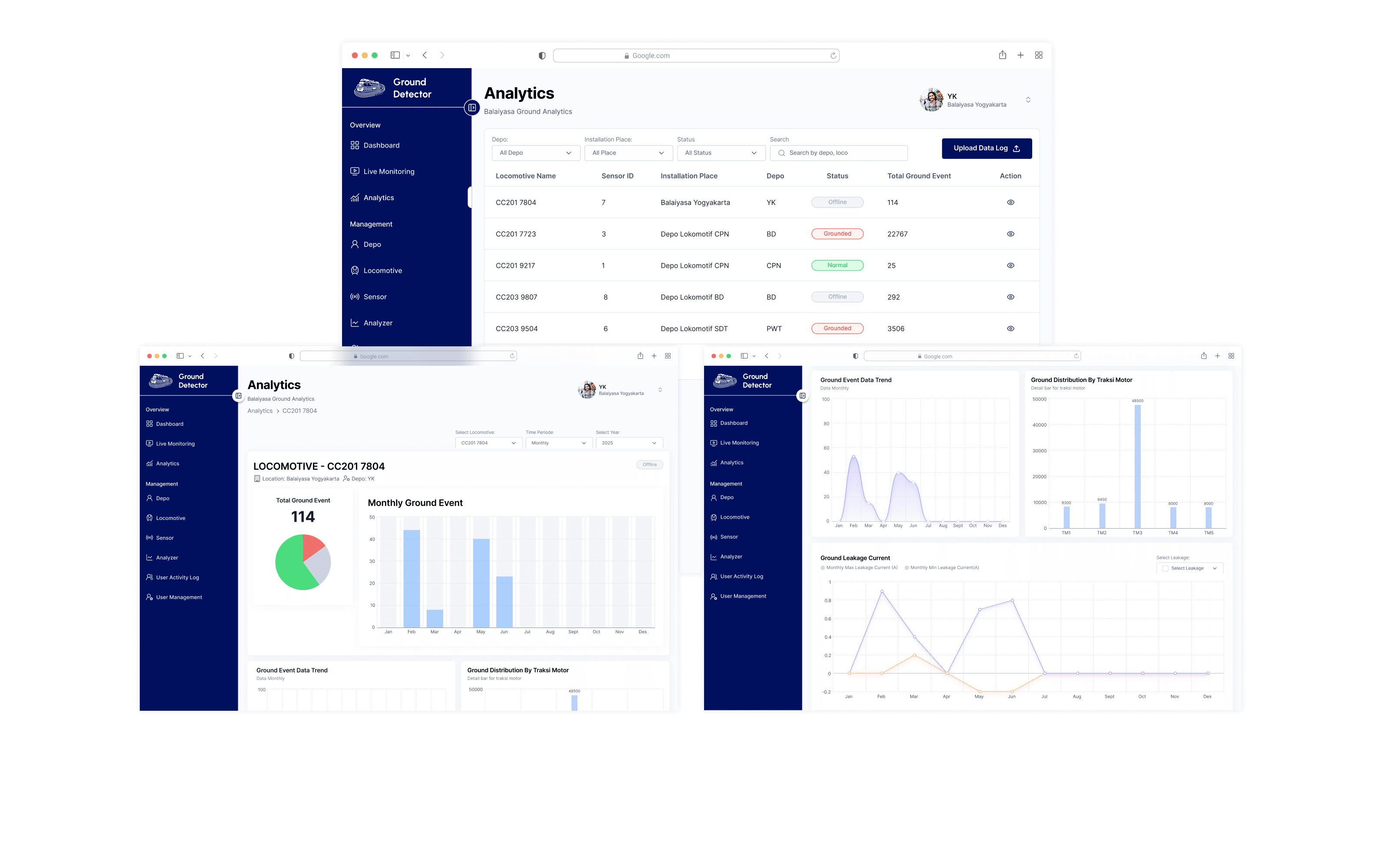
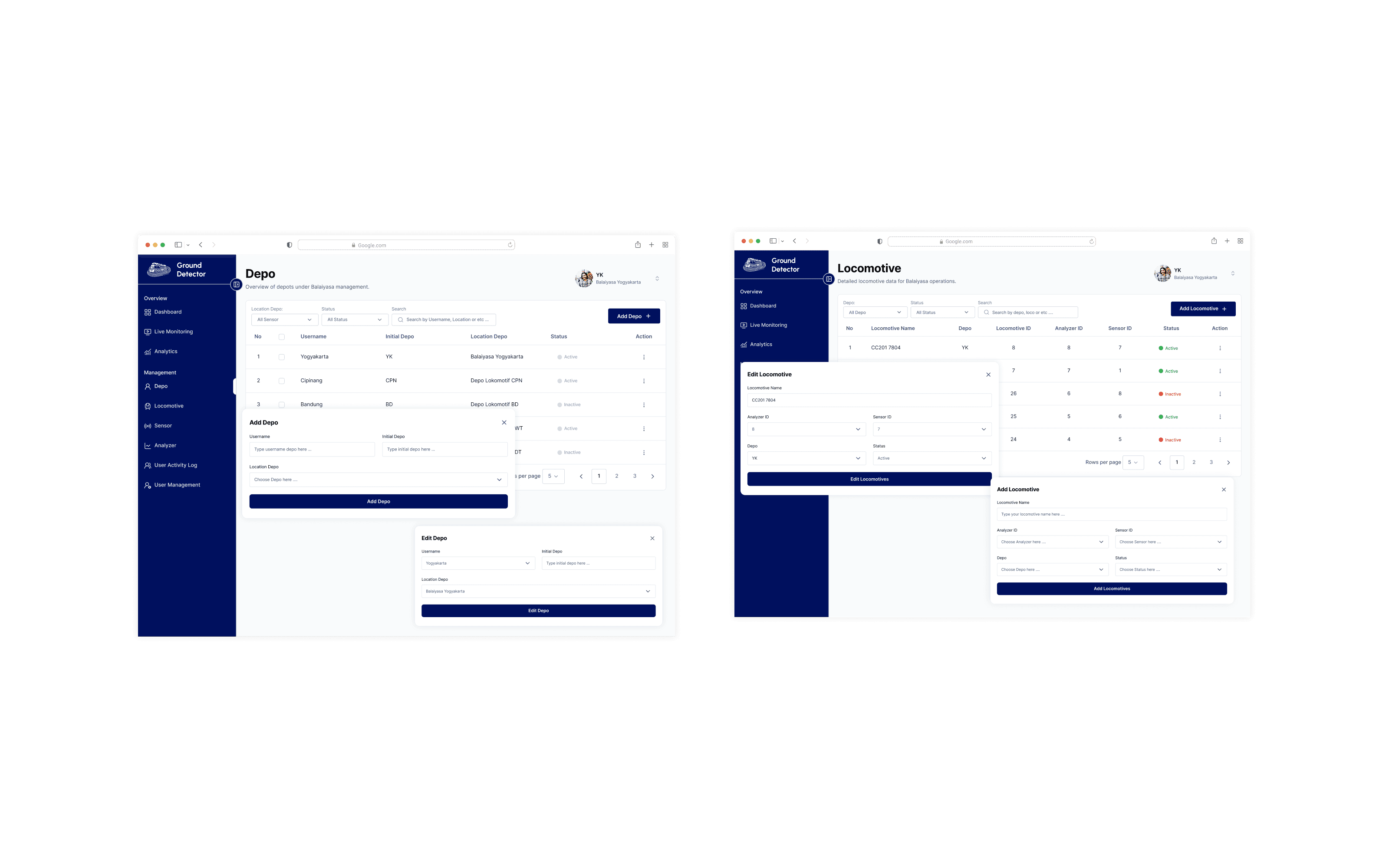
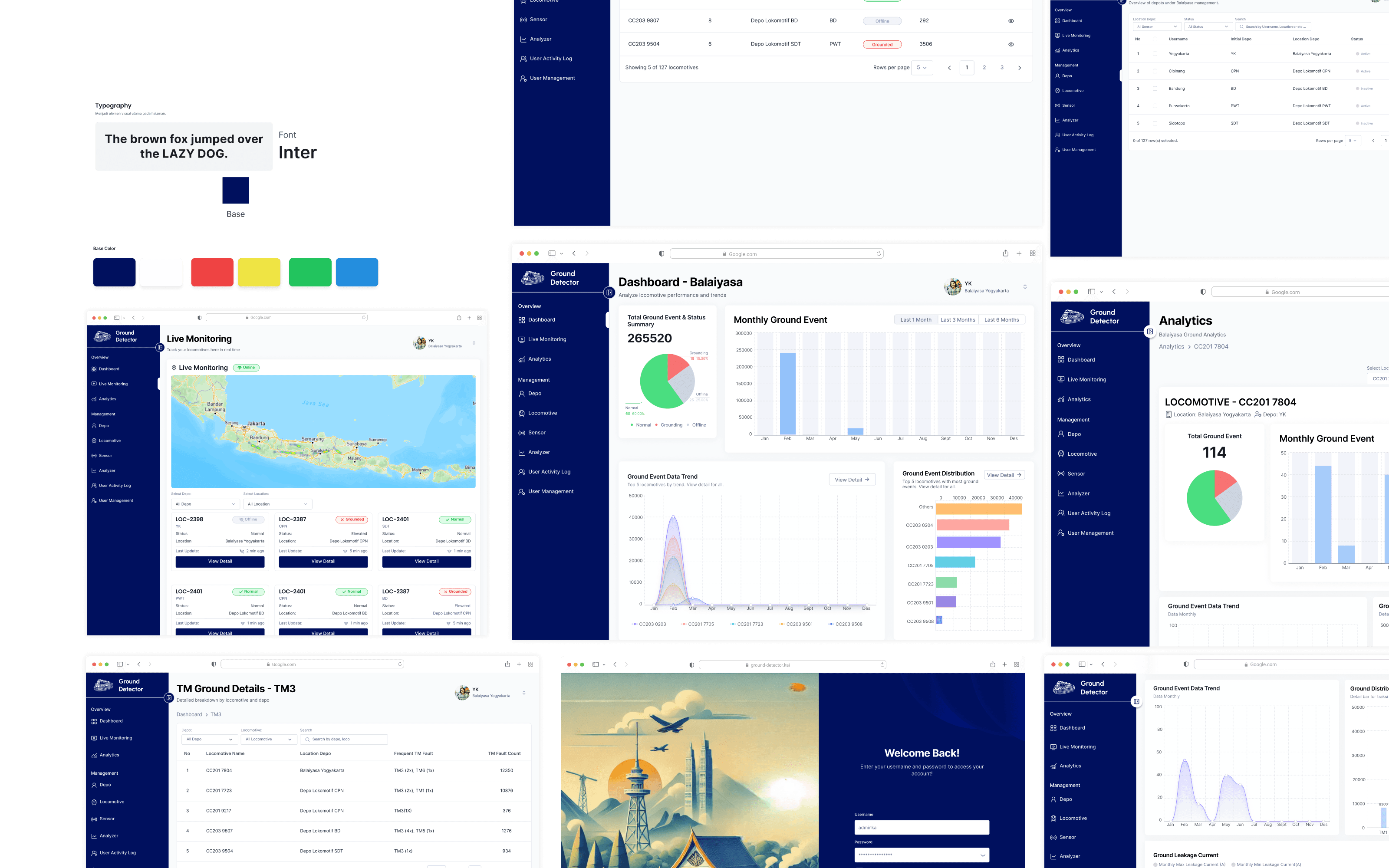
The interface was designed around a clear information hierarchy, allowing users to understand the overall system condition before moving into more detailed information. System status, ground events, locations, and supporting data are presented as connected parts of the same monitoring experience rather than isolated information. Technical data is also translated into visual summaries and data visualizations, making patterns and changes easier to recognize without removing the underlying detail.
04
Design process
- 1Research
Understand monitoring needs
Explore the operational context and technical information involved in monitoring KAI Ground Detector devices to identify key user needs and priorities.
- 2User Flow
Map the monitoring journey
Define how users navigate the dashboard, review system conditions, and access detailed ground event information.
- 3Wireframing
Structure the information
Create wireframes that organize system status, ground events, and supporting technical data into a clear and scannable layout.
- 4UI Design
Design the monitoring interface
Translate the wireframes into a consistent interface that helps users identify important information without feeling overwhelmed.
- 5Prototyping
Connect key interactions
Build an interactive prototype that demonstrates how users move from the system overview to ground events and detailed technical information.
- 6Design System
Establish design consistency
Define reusable interface components and visual guidelines to maintain consistency across monitoring screens.
- 7Usability Testing
Evaluate the monitoring experience
Evaluate whether users can understand system conditions, locate ground events, and access supporting technical information efficiently.
05
The Interface
Swipe or use ← → keys
06
Behind the work
My responsibilities
- Conducting UI/UX design for the KAI Ground Detector monitoring interface.
- Structuring ground event and technical information into a clear dashboard hierarchy.
- Designing user flows, wireframes, and interactive prototypes for monitoring workflows.
- Developing reusable UI components and design system elements.
- Evaluating interface usability and improving information accessibility.
Design decisions
- Prioritize an overview of system conditions before presenting detailed information.
- Group related ground event and technical data into clearly defined sections.
- Establish a visual hierarchy to distinguish critical information from supporting details.
- Provide a clear path from the dashboard overview to detailed ground event information.
- Use consistent typography, labels, and reusable components across the interface.
Constraints & considerations
- Multiple types of technical and operational information need to be presented without overwhelming users.
- Critical system conditions and ground events must be easy to identify.
- Detailed technical data should remain accessible without cluttering the main dashboard.
- Specific technical requirements and operational limitations depend on the project's actual implementation.
Key learnings
- Information hierarchy is essential when presenting complex technical and operational data.
- A clear overview helps users understand system conditions before exploring detailed information.
- Progressive access to details can reduce information overload in monitoring dashboards.
- Consistent visual patterns improve the readability of technical information.
- Usability testing helps identify whether users can locate and interpret important monitoring data.
07Project outcome
Ground Detector brings system conditions, ground events, and supporting technical information into one structured interface, creating a more connected way to monitor and understand the system. The result is an experience where users can start with the overview, investigate what happened, and explore the supporting data when they need more detail.
- UI/UX Design
- 2025–2026
- Web Application
Have a project in mind?
Let's make
something meaningful.
Open to opportunities, collaborations, and interesting conversations about design and technology.