Back to selected work02 / 06
Data Analytics
A clearer way to understand railway ride quality
A web-based assessment and analytics platform that turns railway ride measurements into a clearer view of ride quality.
KAI Ride Index — Railway Assessment & AnalyticsRailway Data Analytics
- Client
- PT Kereta Api Indonesia (KAI)
- Industry
- Railway / Data Analytics
- Timeline
- 1 Month
- Role
- UI/UX Designer
- Platform
- Web Application
- Tools
- Figma
01
About the project
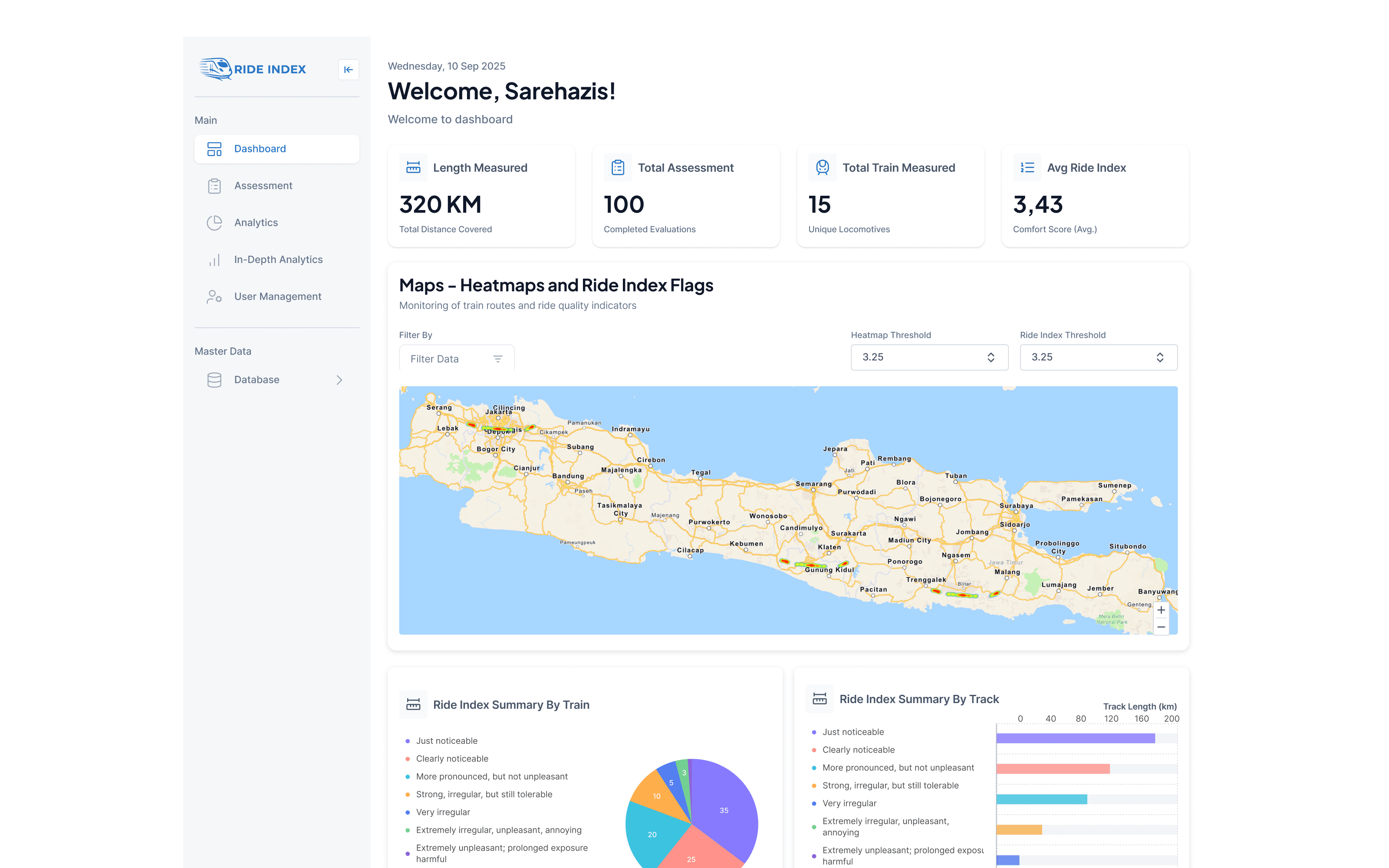
Ride Index is a web-based assessment and analytics platform designed to organize railway ride measurements, route information, and Ride Index results into one structured experience. As the UI/UX Designer, I focused on designing the assessment journey and organizing complex measurement data so users could move from reviewing an assessment to understanding its results and deeper analytics.
The problem
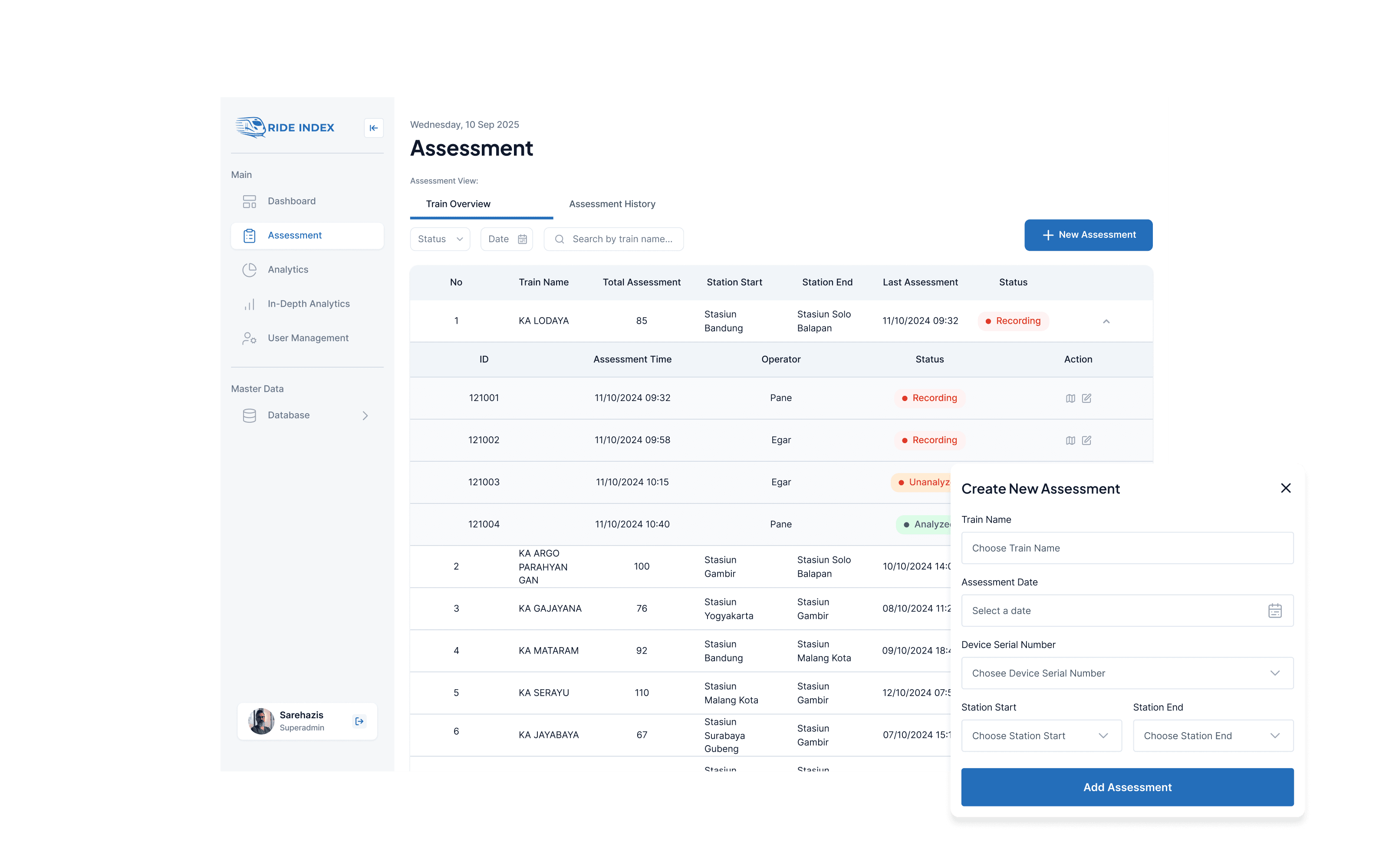
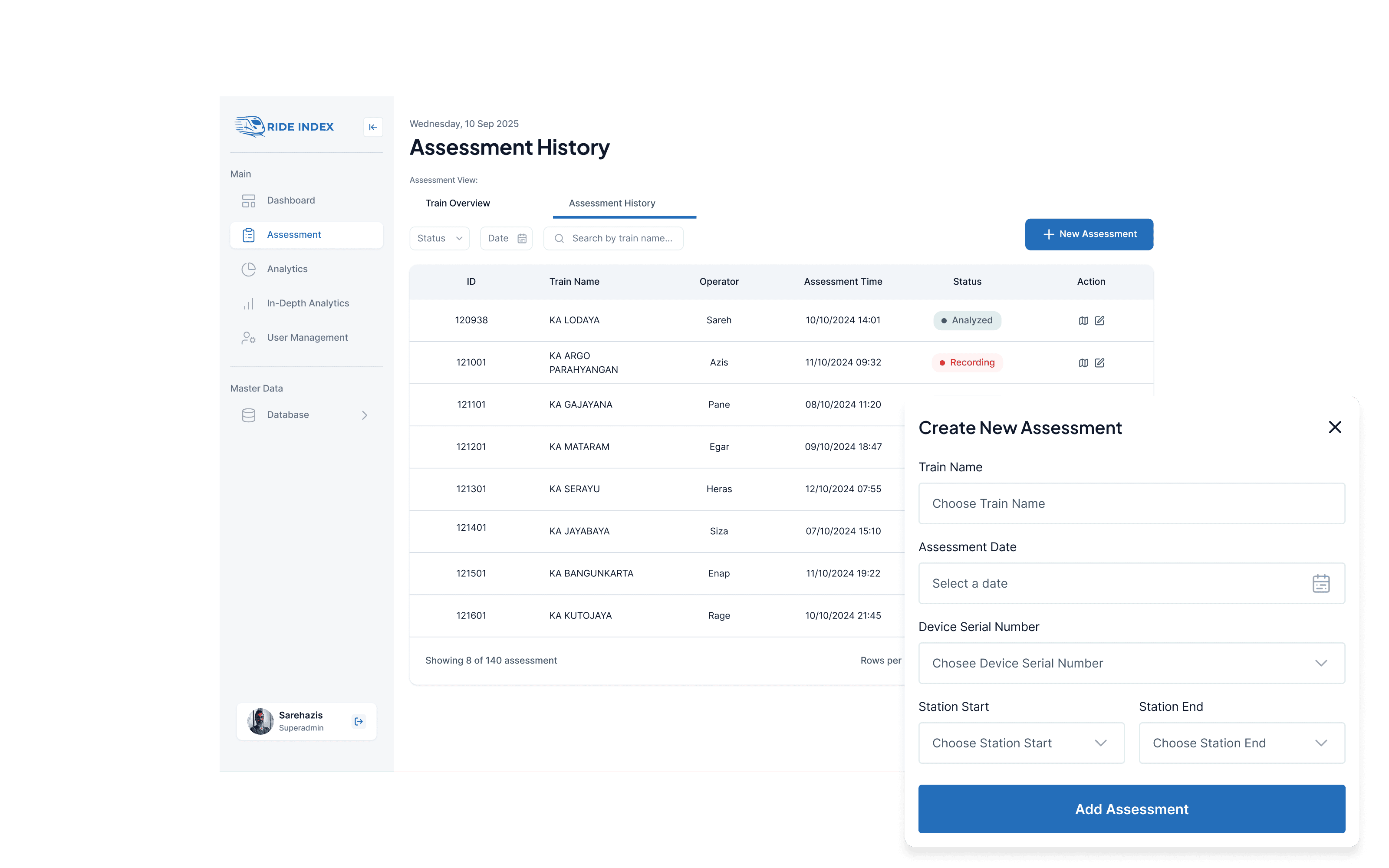
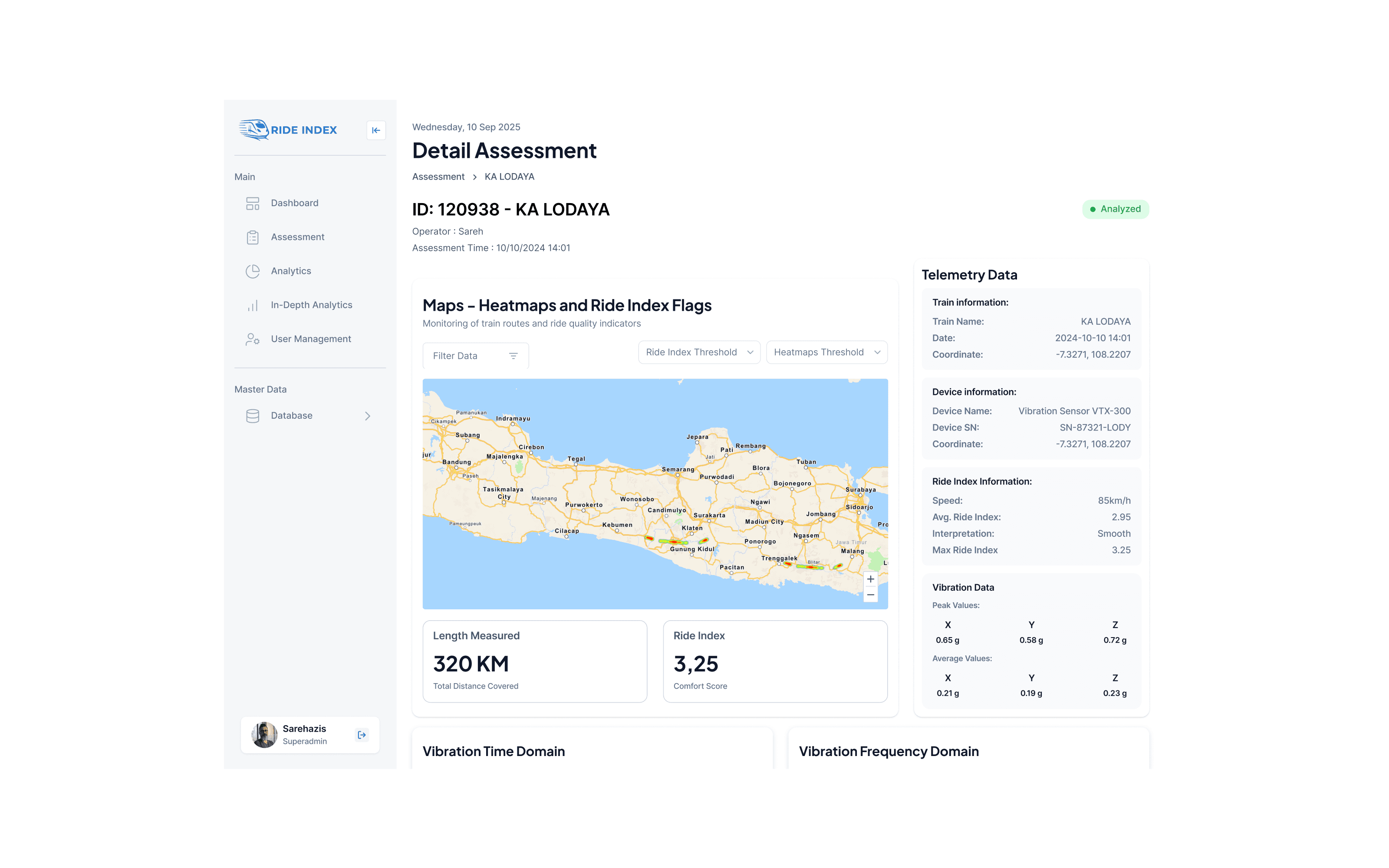
The platform brings together assessment records, train information, route data, Ride Index results, and detailed measurement data. The challenge was to connect these different layers without making the experience difficult to follow. Users needed to understand the context of an assessment first, then explore its location, measurements, and results without losing track of where the data came from.
Project goals
- Connect assessment records, route information, and Ride Index results in one structured experience.
- Help users navigate from assessment overviews to detailed measurement data.
- Present route information and ride measurements with clear visual context.
- Make analytics easier to explore through summaries, charts, and visual comparisons.
02
User flow
03
The solution
- Structure the experience around the relationship between an assessment, its route, and its measurements.
- Keep assessment context visible while users explore detailed information.
- Use maps and measurement views to provide context for route-based data.
- Bring assessment results together through summaries, charts, and visual comparisons.
04
Design process
- 1Research
Understand the assessment context
Identify the key information involved in railway ride assessments and understand how assessment records, train details, route data, and measurement results relate to one another.
- 2User Flow
Map the assessment journey
Define a clear journey from reviewing an assessment record to exploring route information, Ride Index results, and detailed analytics.
- 3Wireframing
Structure assessment information
Organize assessment details, route information, results, and measurements into a hierarchy that supports progressive exploration.
- 4UI Design
Visualize ride quality data
Design interface layouts that bring together assessment context, route visualization, Ride Index results, and supporting measurement information.
- 5Prototyping
Connect the assessment experience
Develop an interactive prototype that demonstrates how users move between assessment records, route details, results, and deeper analytics.
05
The Interface
Swipe or use ← → keys
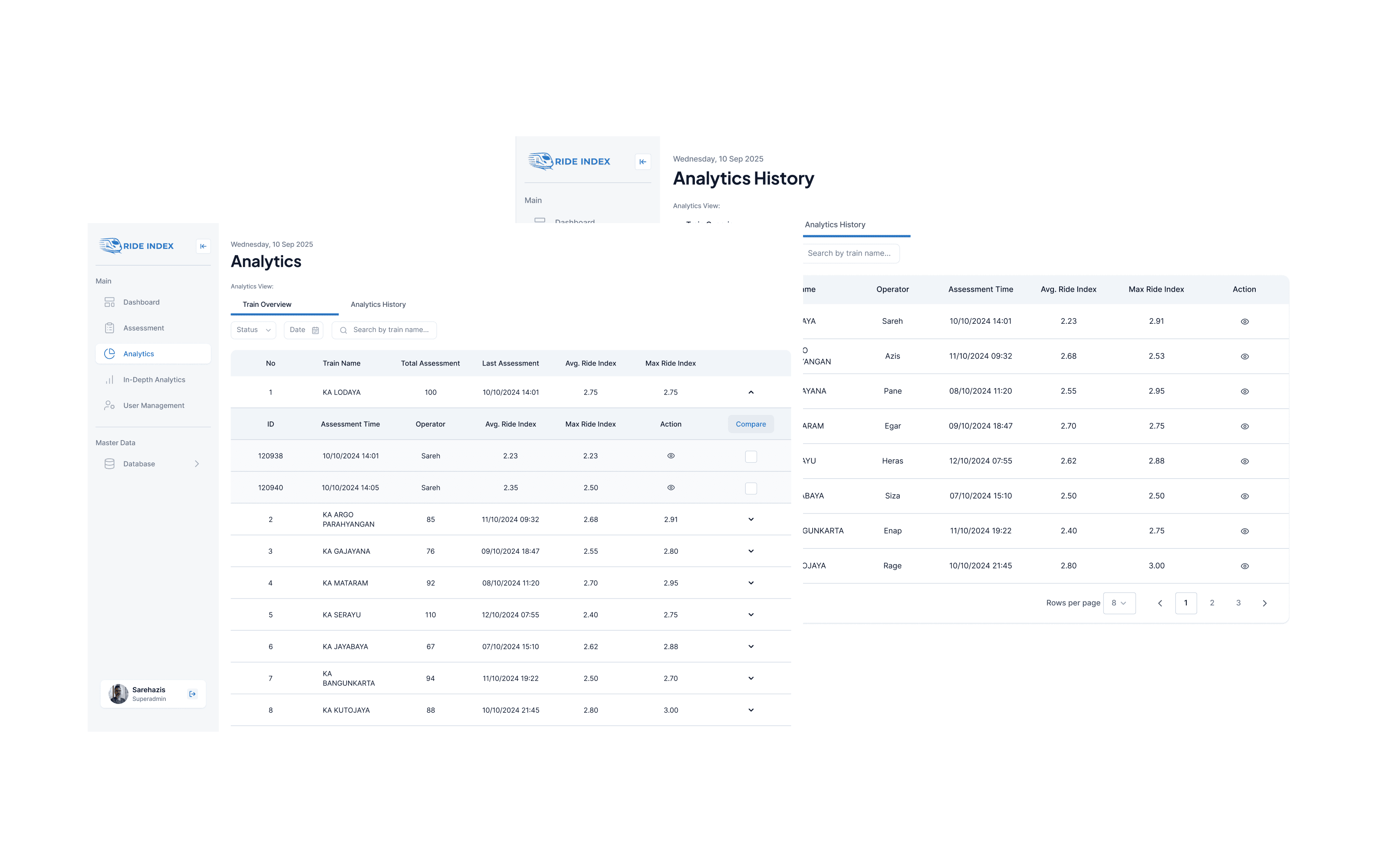
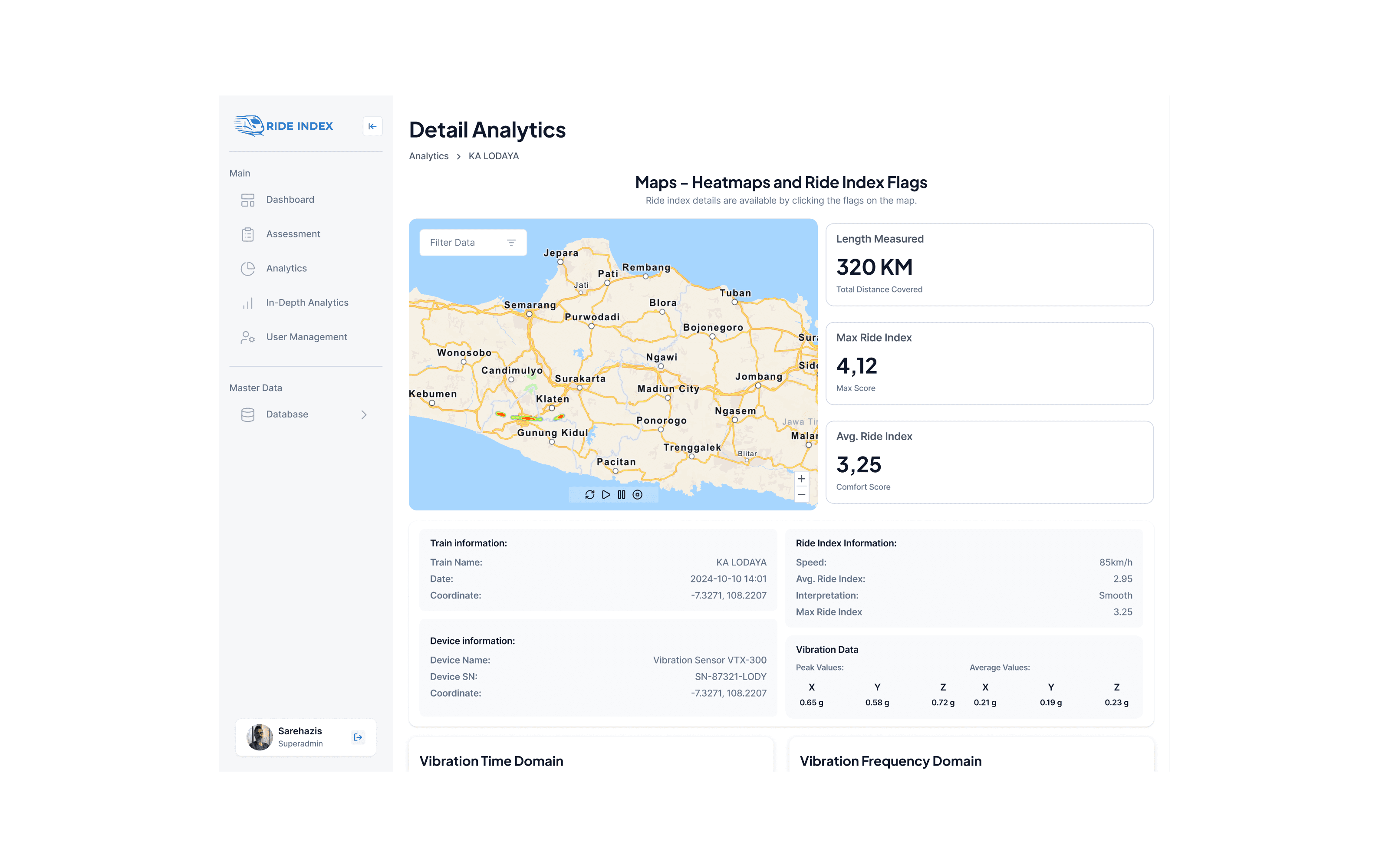
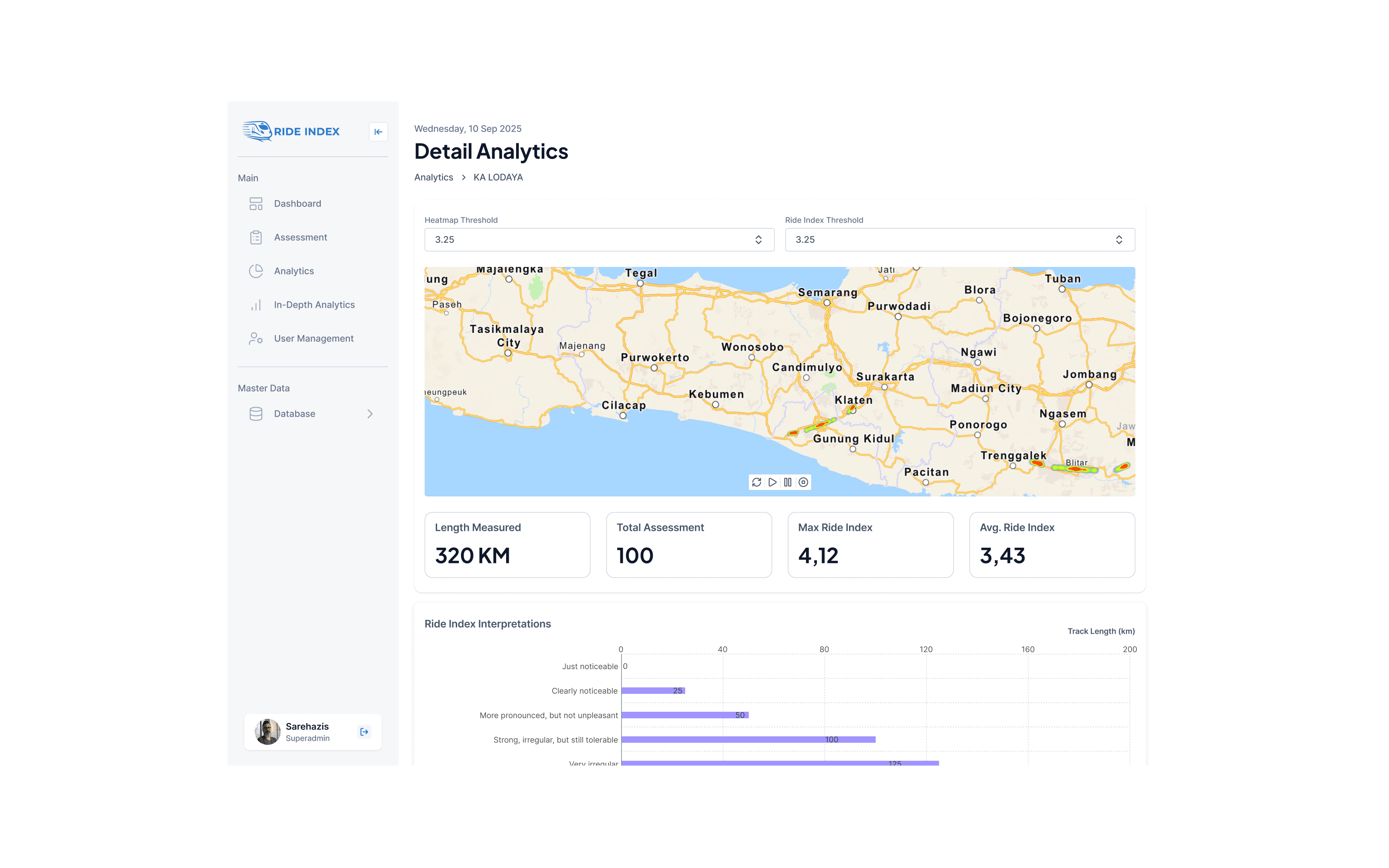
06
Behind the work
My responsibilities
- UI/UX design for the KAI Ride Index web application.
- Structuring the assessment journey from records to detailed analytics.
- Organizing route information, Ride Index results, and measurement data.
- Designing information layouts and data visualization for assessment results.
- Developing user flows, wireframes, interface designs, and interactive prototypes.
Design decisions
- Use the assessment as the main context connecting route information and measurement results.
- Keep assessment details accessible while users navigate into deeper views.
- Use maps to provide geographical context for route-based measurements.
- Present Ride Index results alongside supporting data for easier interpretation.
- Organize analytics using summaries, charts, and visual comparisons.
Constraints & considerations
- Assessment records, route information, and measurement data need to remain connected.
- Users need to explore detailed measurements without losing the context of the assessment.
- Complex analytical information must remain readable across different levels of detail.
- Specific technical requirements and operational limitations should only be documented when verified.
Key learnings
- Complex analytics become easier to navigate when organized around a clear assessment journey.
- Maintaining context helps users understand where measurement data comes from.
- Route visualization can provide useful geographical context for railway measurements.
- A combination of summaries and detailed analytics supports different levels of information exploration.
- Information hierarchy is essential when connecting assessment records with detailed technical data.
07Project outcome
Ride Index brings the assessment process and its supporting data into one connected experience, making it easier to move from a recorded measurement to its route, results, and deeper analysis. The interface keeps the context behind each measurement visible as users explore different levels of information.
- UI/UX Designer
- 1 Month
- Web Application
Have a project in mind?
Let's make
something meaningful.
Open to opportunities, collaborations, and interesting conversations about design and technology.