Back to selected work03 / 06
IoT Web Application
Making generator monitoring easier to understand
A smart learning and monitoring platform that helps users explore generator systems through IoT data, playback, and interactive learning tools.
Smart Classroom — IoT Generator MonitoringEducation Technology
- Client
- Machvory × Politeknik Negeri Semarang
- Industry
- Education / IoT
- Timeline
- 2 Months
- Role
- UI/UX Designer & Frontend Developer
- Platform
- Web Application
- Tools
- Figma
01
About the project
Smart Classroom is a smart learning and monitoring platform developed to help students explore generator systems through IoT data, playback, and interactive learning tools. Working across UI/UX design and frontend development, I focused on structuring monitoring information and translating the interface into a functional web experience.
The problem
Understanding generator operating conditions requires more than displaying raw monitoring data. The platform needs to present technical information in a way that is easier to explore and understand, while supporting both equipment monitoring and learning activities. The challenge was to organize this information into a coherent interface without making the experience unnecessarily complex.
Project goals
- Present IoT-based generator monitoring information in a clear interface.
- Help students explore generator operating conditions through accessible data visualization.
- Support learning through playback and interactive learning tools.
- Translate the interface design into a functional web application.
02
User flow
03
The solution
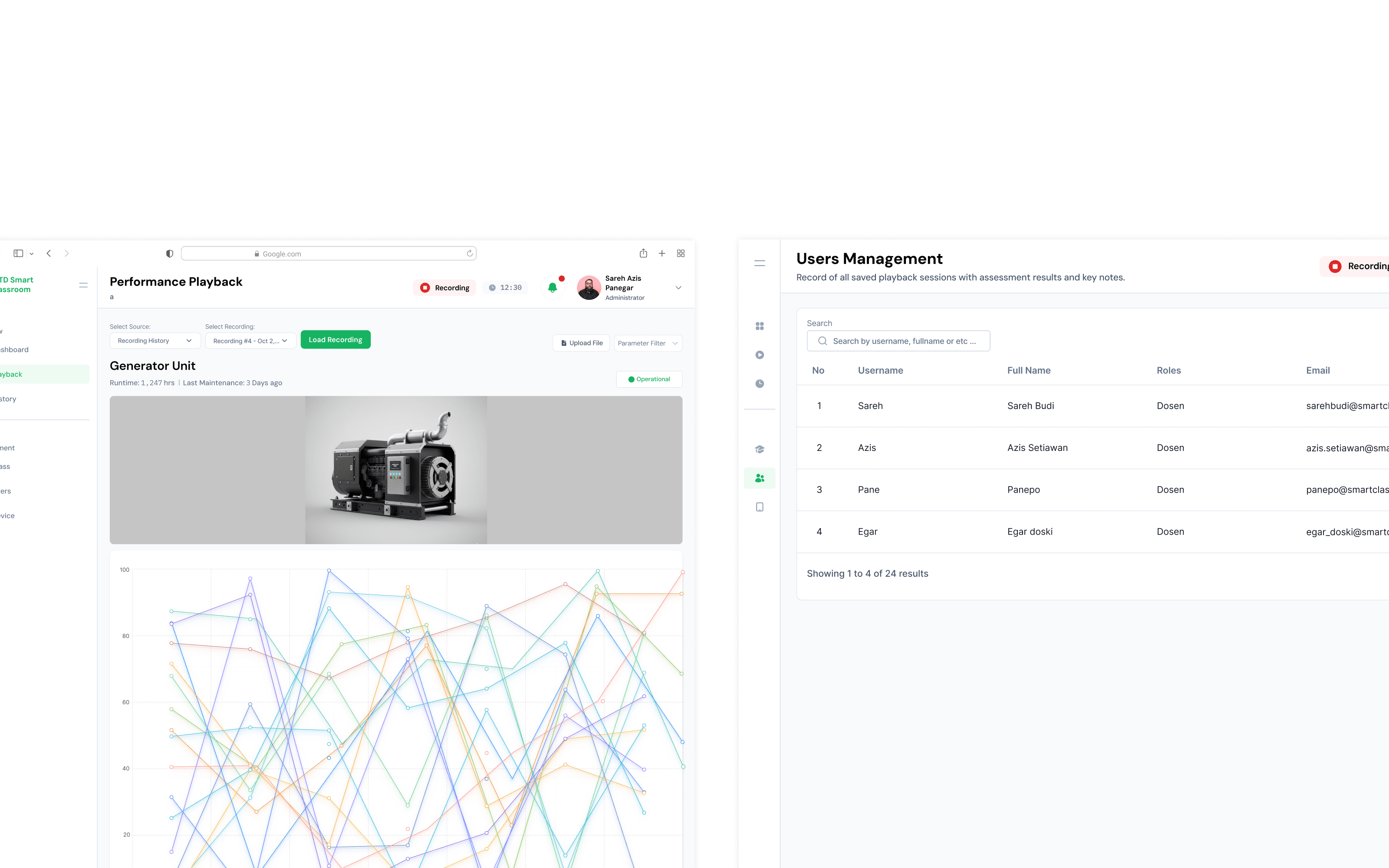
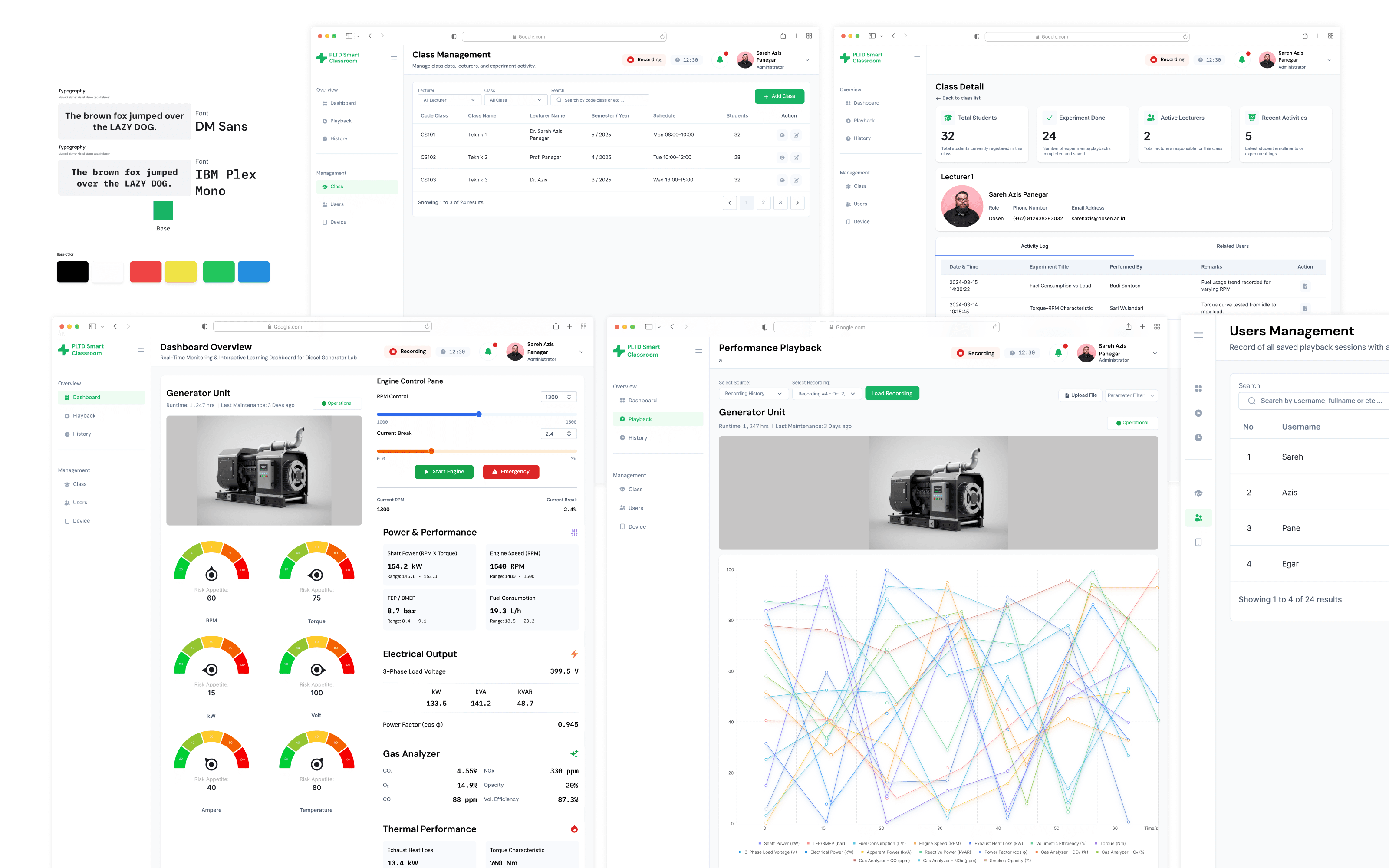
- Organize generator monitoring information into a structured dashboard.
- Present IoT data through a visual interface that supports easier interpretation.
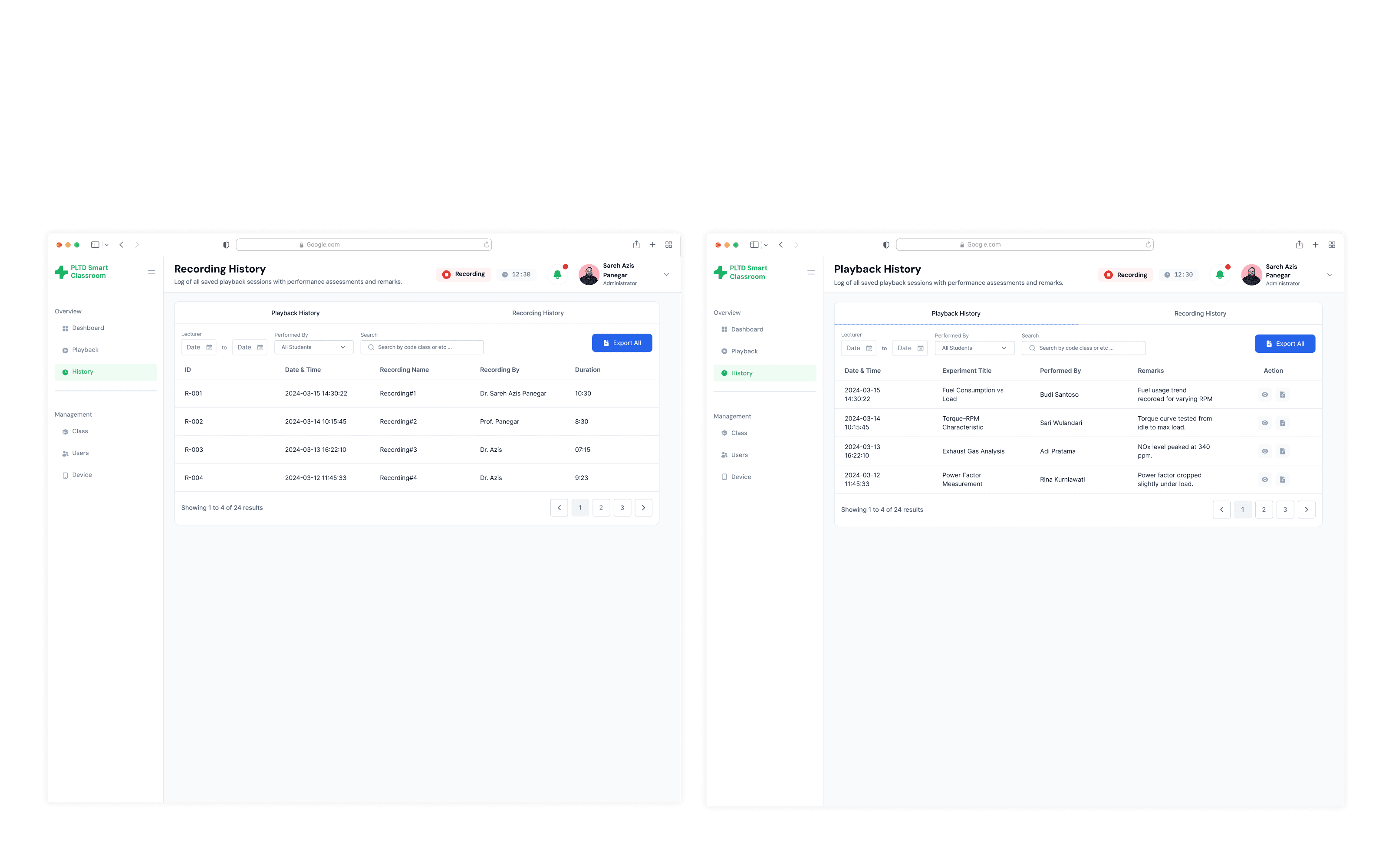
- Incorporate playback and interactive learning tools into the platform experience.
- Implement the designed interface through frontend development.
04
Design process
- 1Research
Understand the monitoring and learning needs
Explore the information required to monitor generator operating conditions and support students in understanding the system.
- 2User Flow
Map the monitoring experience
Define how users navigate the platform, review generator information, and access playback and interactive learning features.
- 3Wireframing
Structure the monitoring interface
Develop wireframes that establish the layout and hierarchy of generator information, data visualization, and supporting interface elements.
- 4UI Design
Visualize generator operating conditions
Design an interface that presents technical monitoring information clearly while supporting the platform's educational purpose.
- 5Prototyping
Connect the learning experience
Create an interactive prototype to demonstrate the intended navigation and interactions across monitoring, playback, and learning features.
- 6Frontend Development
Bring the interface to life
Translate the UI/UX design into a functional web interface while maintaining consistency between the intended design and its implementation.
05
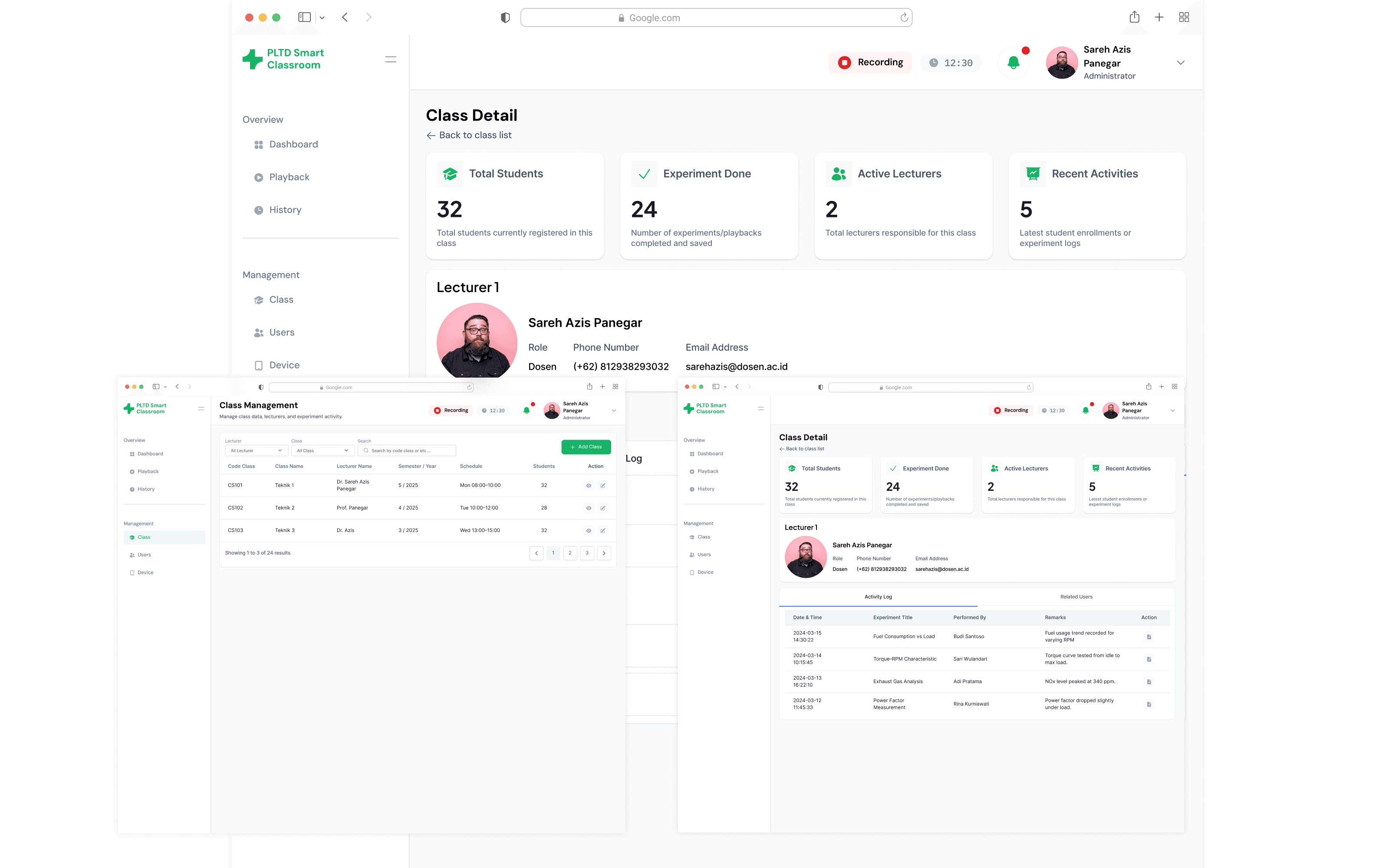
The Interface
Swipe or use ← → keys
06
Behind the work
My responsibilities
- UI/UX design for the Smart Classroom generator monitoring platform.
- Structuring generator monitoring information and data visualization.
- Designing user flows, wireframes, interface layouts, and prototypes.
- Developing frontend components based on the interface design.
- Maintaining consistency between the designed experience and implemented interface.
Design decisions
- Organize generator monitoring information into a structured dashboard.
- Use visual hierarchy to make technical information easier to scan.
- Treat playback and interactive learning tools as part of the broader learning experience.
- Use consistent interface components across monitoring and supporting features.
- Translate the design into reusable frontend components to maintain implementation consistency.
Constraints & considerations
- Technical generator data needs to be presented in an understandable format.
- The interface needs to support both monitoring and educational use cases.
- Monitoring information and learning interactions need to fit into a coherent user experience.
- Specific hardware integration, data update behavior, and playback implementation should be documented according to the actual system.
Key learnings
- Technical monitoring interfaces need to balance information clarity with data density.
- Visualizing generator data can help make technical information more approachable for learning.
- Educational platforms benefit from connecting information exploration with interactive experiences.
- Close alignment between UI/UX design and frontend implementation helps preserve the intended user experience.
07Project outcome
Smart Classroom combines UI/UX design and frontend development in an IoT-based generator monitoring and learning platform. The interface is designed to bring monitoring information, playback, and interactive learning tools into one experience. Specific implementation results and evaluation outcomes should be added based on verified project evidence.
- UI/UX Designer & Frontend Developer
- 2 Months
- Web Application
Have a project in mind?
Let's make
something meaningful.
Open to opportunities, collaborations, and interesting conversations about design and technology.