Back to selected work04 / 06
Mobile Learning
Designing a mobile learning experience for Kaigo education
A mobile learning experience that helps learners study Japanese caregiving, practice what they learn, and track their progress through structured educational content.
Kaigo Fukushishi — Mobile Learning ExperienceCaregiving Education
- Client
- Learning Factory × Minori
- Industry
- Education / E-Learning
- Timeline
- 2 Months
- Role
- UI/UX Designer
- Platform
- Mobile Application
- Tools
- Figma
01
About the project
Kaigo Fukushishi is a mobile learning experience designed to support learners studying Japanese caregiving. The project focuses on organizing learning materials into a structured experience where learners can study content, practice their knowledge, and track their learning progress.
The problem
Learning Japanese caregiving requires learners to engage with structured educational content and practice what they have learned. Without a clear learning journey, it can be difficult to navigate materials, move between study and practice, and understand personal progress. The experience needs to bring these activities together in an accessible mobile interface.
Project goals
- Organize Kaigo learning materials into a structured mobile learning experience.
- Make learning content easier to discover and navigate.
- Support practice as part of the learning journey.
- Help learners track their learning progress.
02
User flow
03
The solution
- Structure learning materials into clear and accessible sections.
- Create a mobile-first interface that supports focused learning.
- Connect studying and practice within a coherent learning journey.
- Present learning progress to help users understand their advancement.
04
Design process
- 1Research
Understand the learning needs
Explore the learning context and identify how educational content, practice, and progress tracking should fit into the mobile experience.
- 2User flow
Map the learning journey
Define how learners move between discovering materials, studying topics, practicing their knowledge, and reviewing progress.
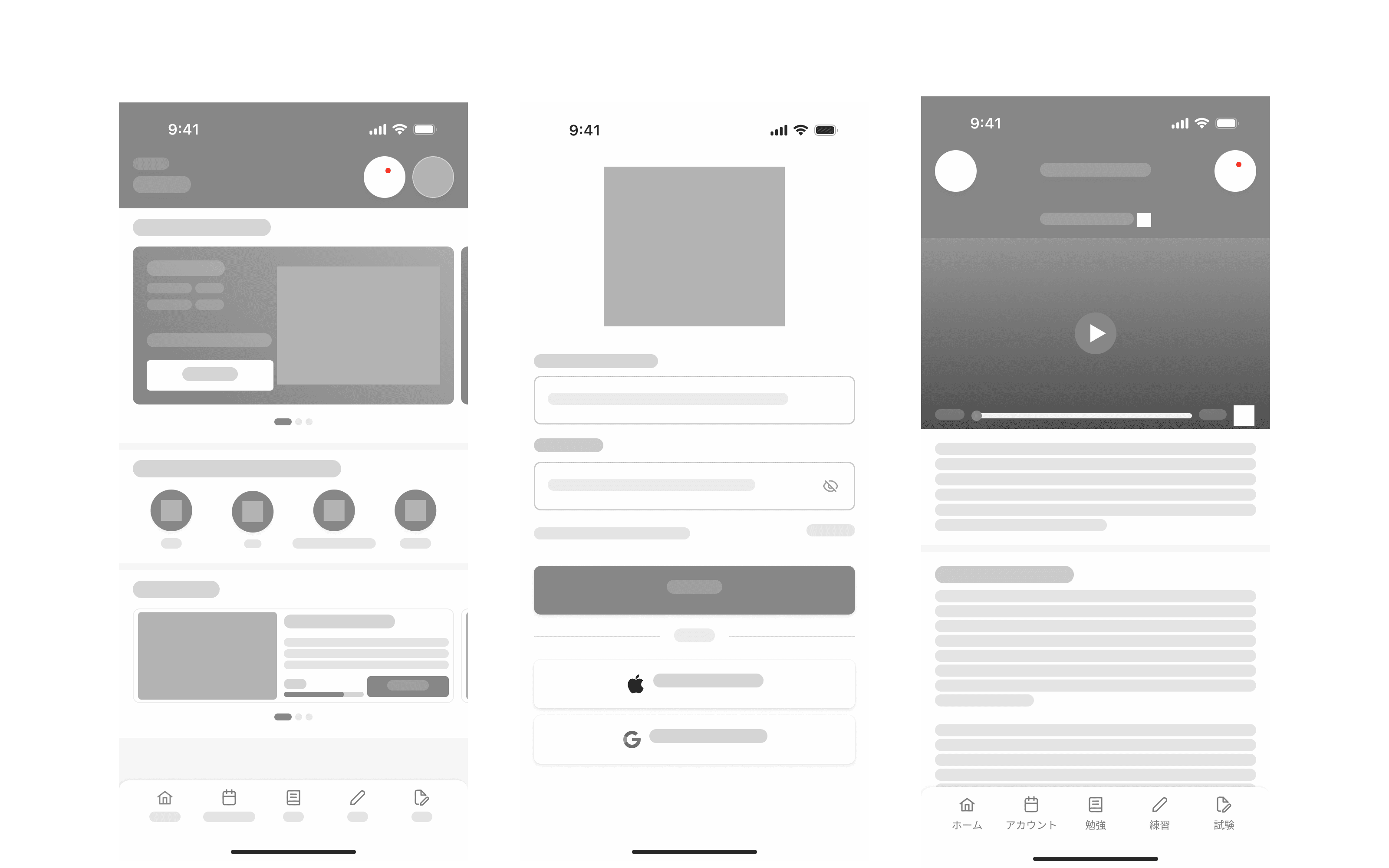
- 3Wireframing
Structure the mobile experience
Translate the learning journey into wireframes that establish the layout, information hierarchy, and navigation of each key screen.
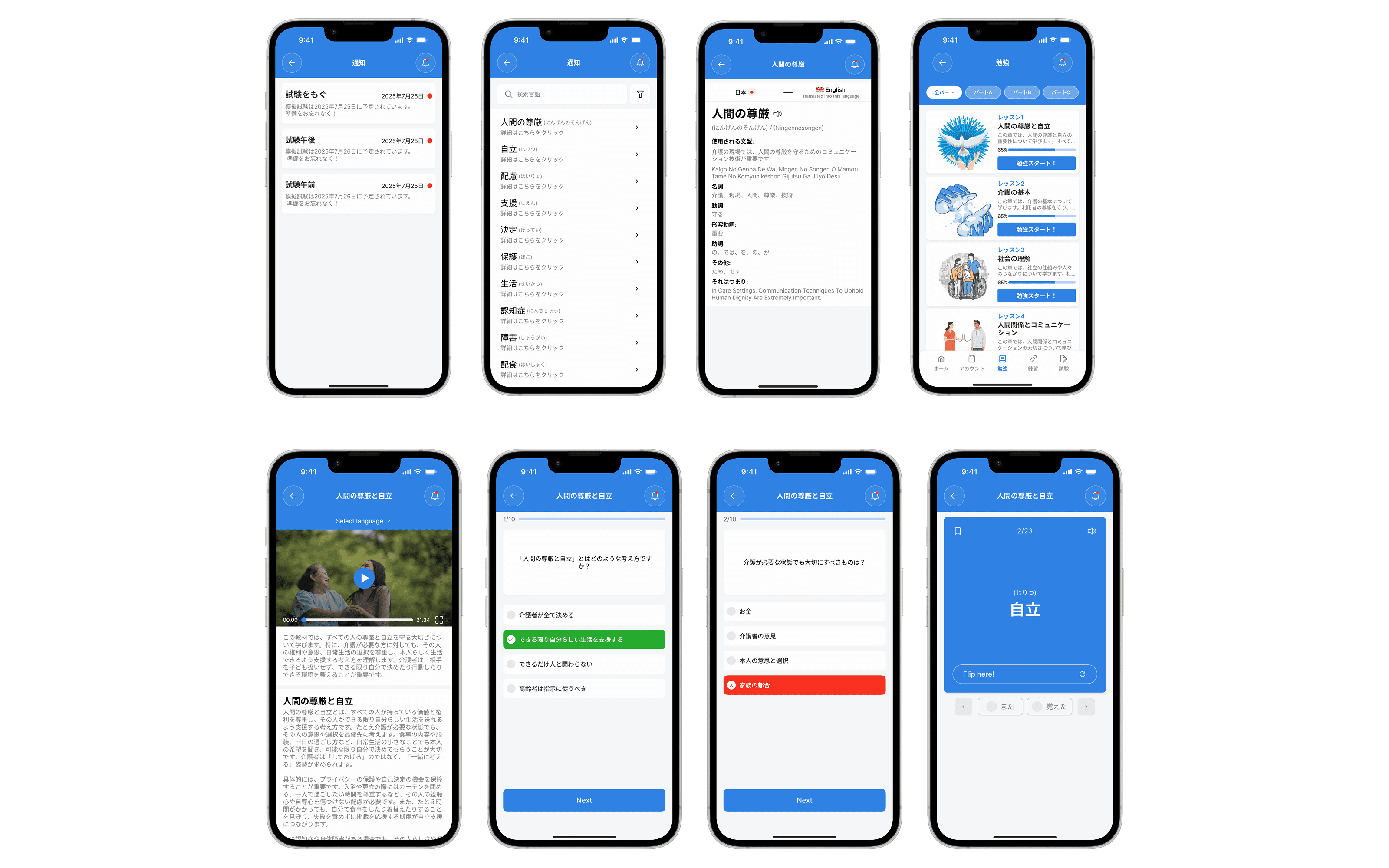
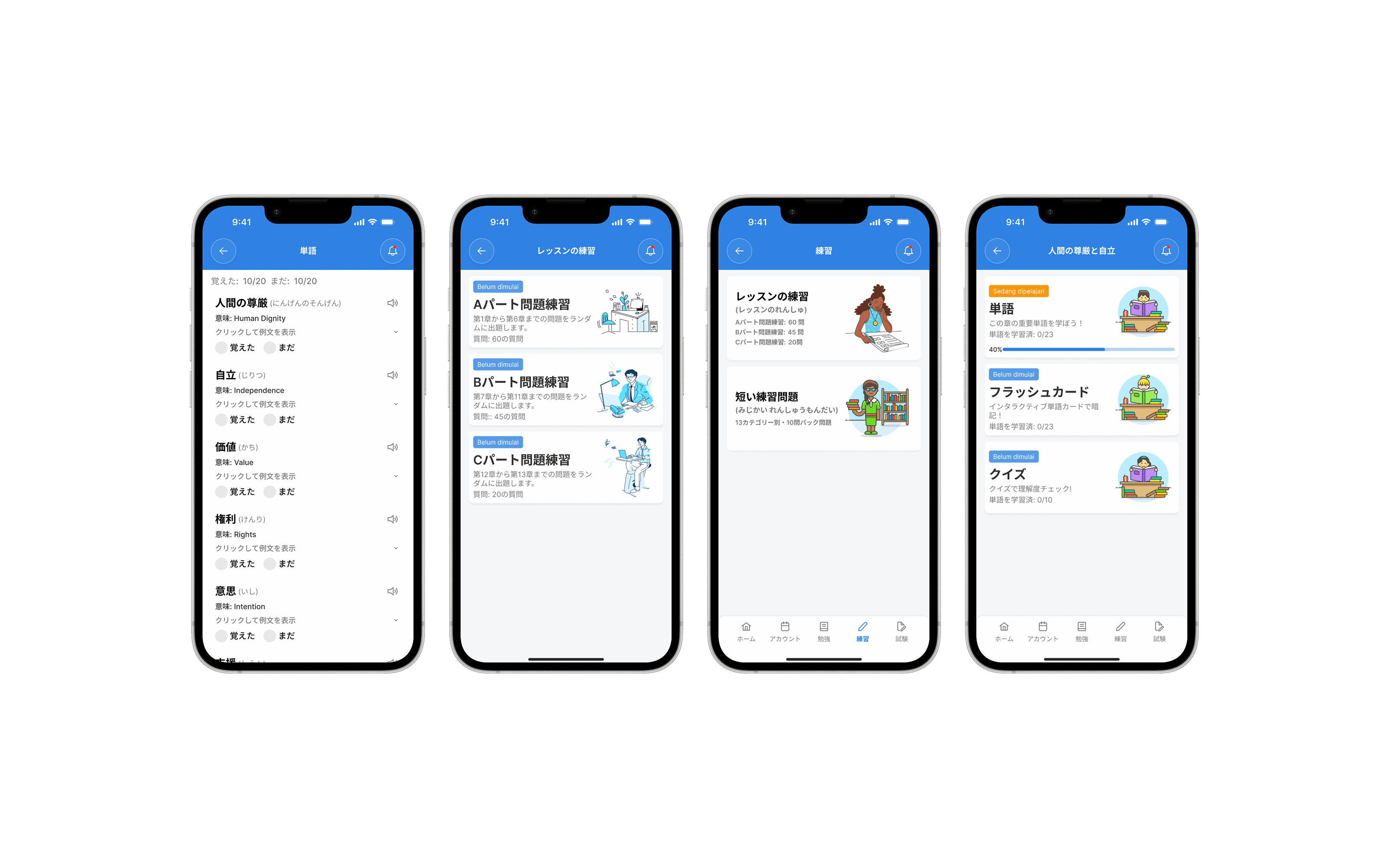
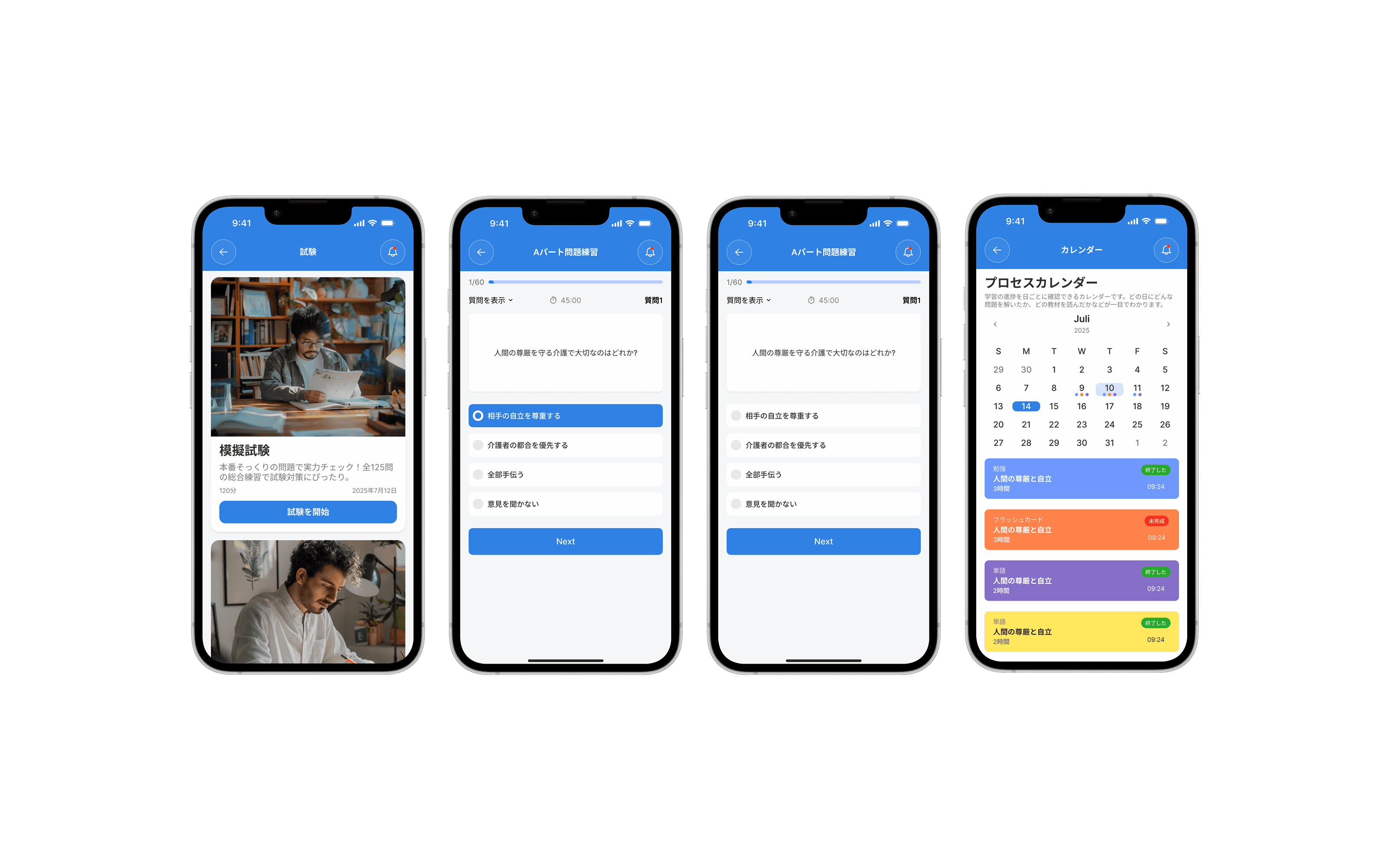
- 4UI design
Design the learning interface
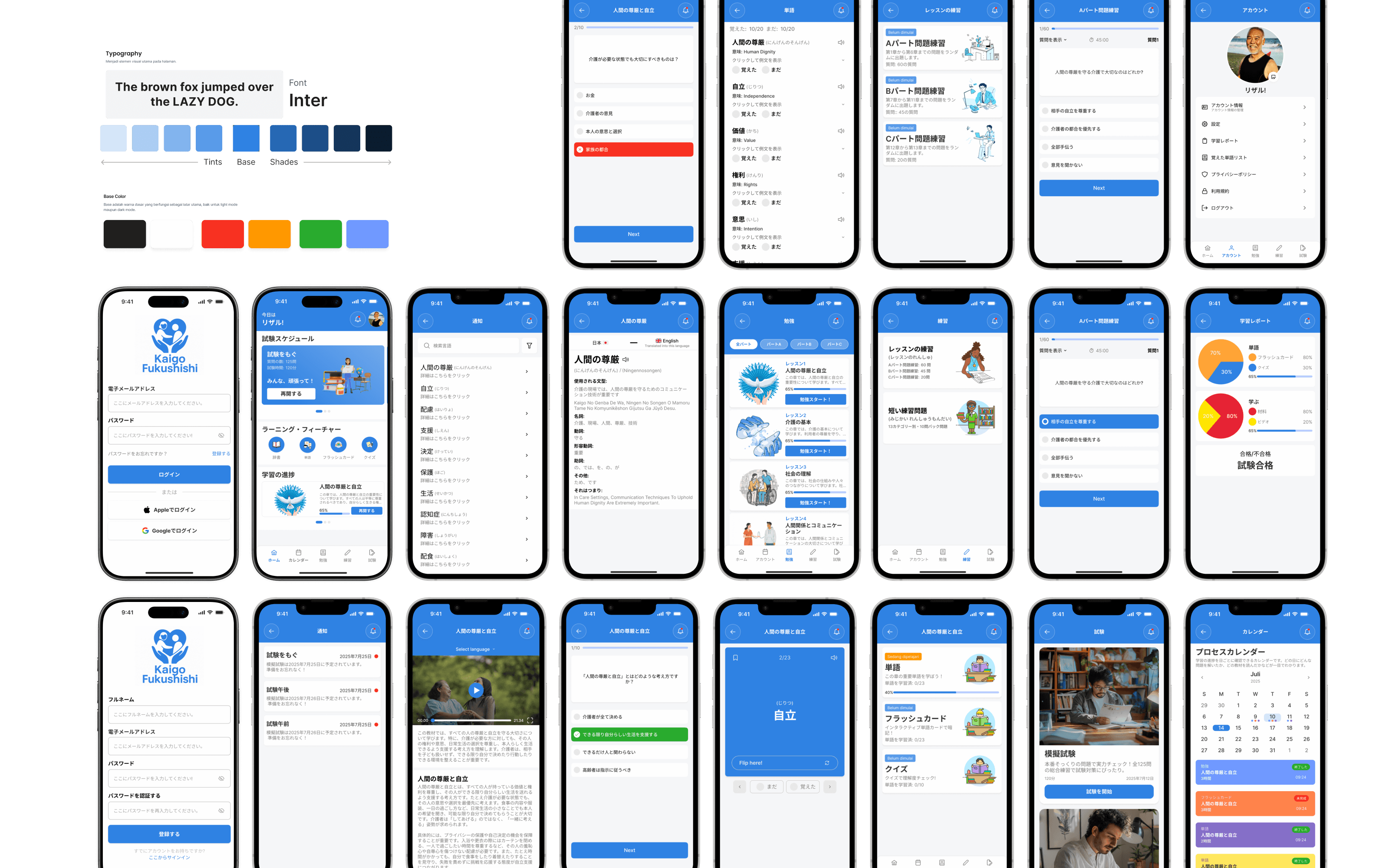
Develop a consistent mobile interface that makes learning materials, practice activities, and progress information easy to understand.
- 5Prototyping
Connect screens into an experience
Build an interactive prototype to demonstrate how learners navigate the mobile learning experience and move between its core activities.
05
The Interface
Swipe or use ← → keys
06
Behind the work
My responsibilities
- Conducting UX research for the learning experience.
- Structuring learning content and information architecture.
- Mapping user flows for studying, practicing, and tracking progress.
- Creating wireframes and mobile UI designs.
- Building interactive prototypes in Figma.
Design decisions
- Use a mobile-first approach suited to learning on smaller screens.
- Organize educational materials into clear, navigable sections.
- Treat studying and practice as connected parts of the learning journey.
- Make learning progress visible as part of the overall experience.
- Maintain consistent interface patterns across the core learning screens.
Constraints & considerations
- Learning content needs to remain structured and easy to navigate on mobile screens.
- Studying, practice, and progress tracking need to work together as a coherent experience.
- Specific learning mechanics and progress-tracking details should reflect the confirmed project requirements.
Key learnings
- Learning experiences need clear information architecture to help users navigate educational content.
- Connecting study activities with practice can create a more coherent learning journey.
- Progress information should be easy to understand and relevant to the learner's journey.
- Mobile interfaces require careful prioritization of content, navigation, and actions.
07Project outcome
A mobile learning experience concept for Kaigo Fukushishi that brings structured educational content, practice, and learning progress into one coherent journey. Specific usability findings and project outcomes can be added when confirmed.
- UI/UX Designer
- 2 Months
- Mobile Application
Have a project in mind?
Let's make
something meaningful.
Open to opportunities, collaborations, and interesting conversations about design and technology.